Read, write and clone your own NFC tags.
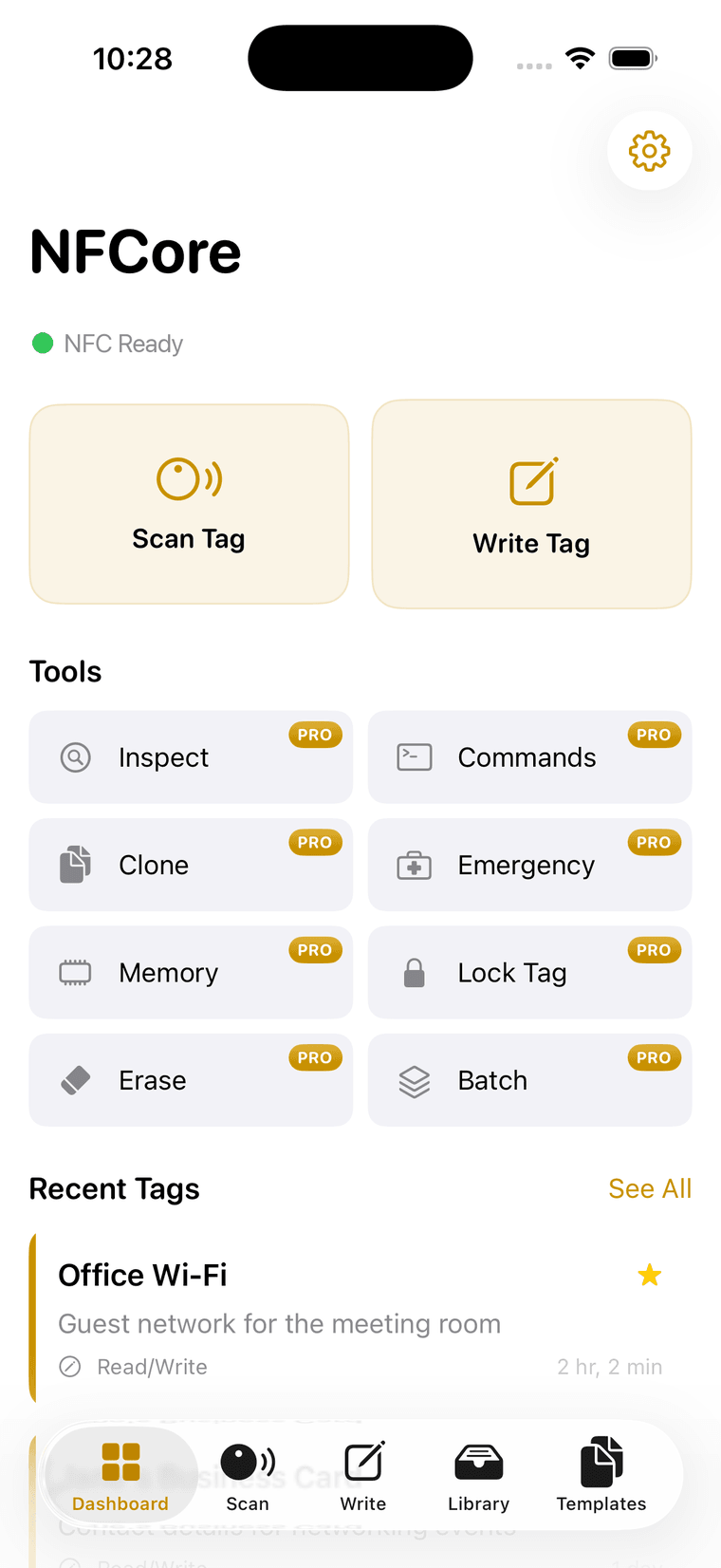
A full toolkit for the tag in your hand. Scan and auto-save, write nine record types, clone your own tags in two taps, edit raw memory pages, lock a tag for good, and drop to a raw command console when the presets run out.
Free to download · No account · No cloud
- Console protocols
- 4
- Max user memory
- 888bytes
- Built-in templates
- 10
- Chip families
- MIFARE Ultralight / NTAG
- Where data lives
- On device, always
Ten tools, one tag list.
Everything you need to work with NFC tags, from simple reads to advanced protocol commands.
- 01
Scan & Read
ReadInstantly scan any NFC tag and auto-save to your library
- 02
Write Data
WriteWrite URLs, text, contacts, WiFi credentials, and more to any compatible tag
- 03
Batch Write
Write · multiWrite the same data to multiple tags with progress tracking
- 04
Clone Your Own Tags
CloneCopy one of your own tags to another in two taps
- 05
Memory Dump
Hex + ASCIIRead and edit raw memory pages with hex/ASCII display
- 06
Command Console
Raw commandsSend raw NFC protocol commands
- 07
Tag Inspector
InspectProtocol-level inspection with detailed technical information
- 08
Tag Lock
PermanentMake tags permanently read-only for secure deployment
- 09
Emergency Info
MedicalStore medical data on a tag for emergency responders
- 10
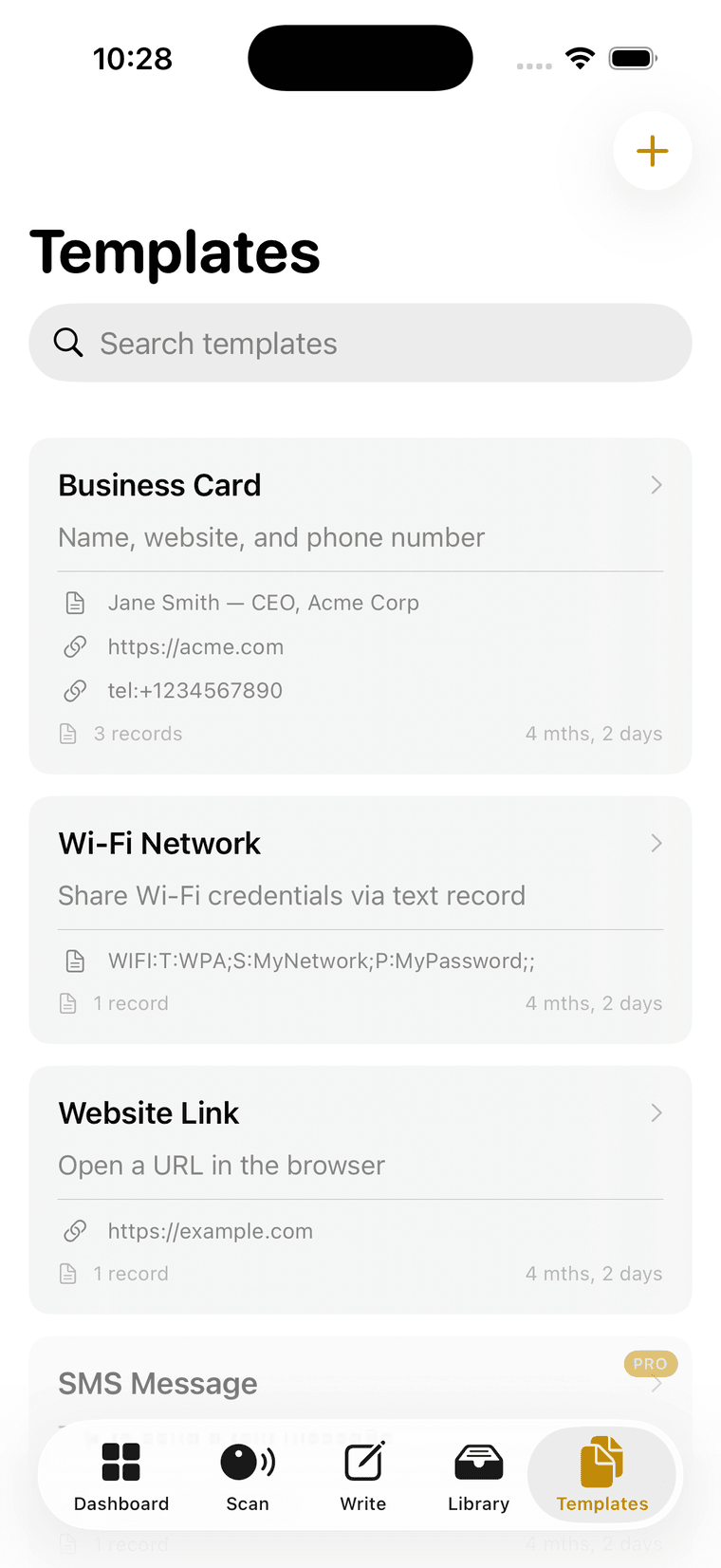
Templates
10 built-in10 built-in templates plus create your own custom templates
Built like an instrument.
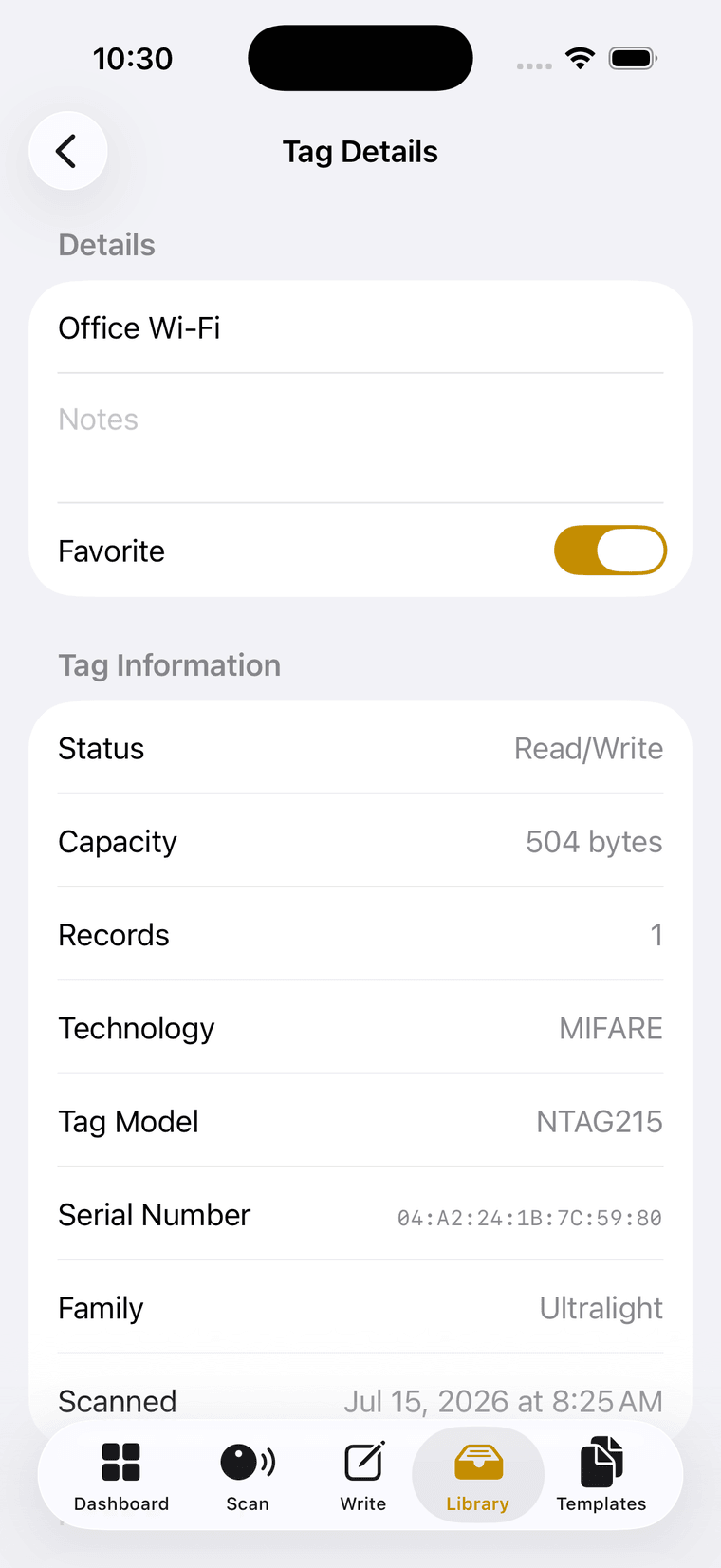
Label in sans, value in mono, hairline dividers. The same rows on every screen, so a tag reads the same everywhere.
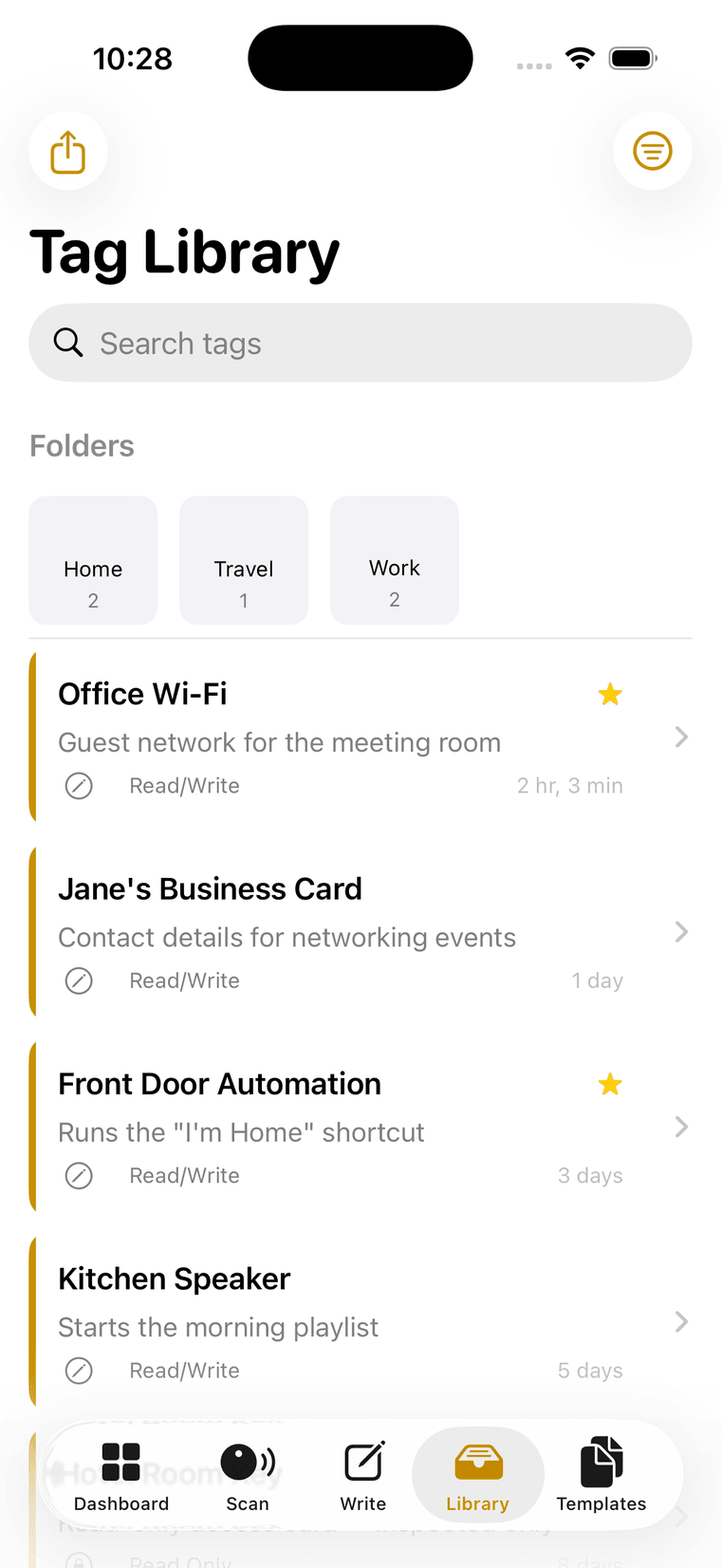
Swipe for more
What it actually supports.
Chips, capacities and limits, including the one family NFCore cannot help you with.
ISO 15693 · FeliCa
- 144bytesNTAG213
- 504bytesNTAG215
- 888bytesNTAG216
Deck, the night mode.
Not a recolor. A mode: surfaces flip, every other rule holds.
The console is where NFCore stops being an app and starts being a bench tool. Pick a protocol, set the command, execute, and read the bytes back. Same hairlines, same spec rows, same single yellow, on a near-black surface that does not glare at 1 a.m.
- SurfacesFlip to near-black. No pure black, no OLED smear.
- AccentsThe yellow lightens and is finally allowed to be text.
- ElevationLighter surfaces, not heavier shadows.
MIFARE Ultralight / NTAG raw commands. Classic is not supported.
MIFARE command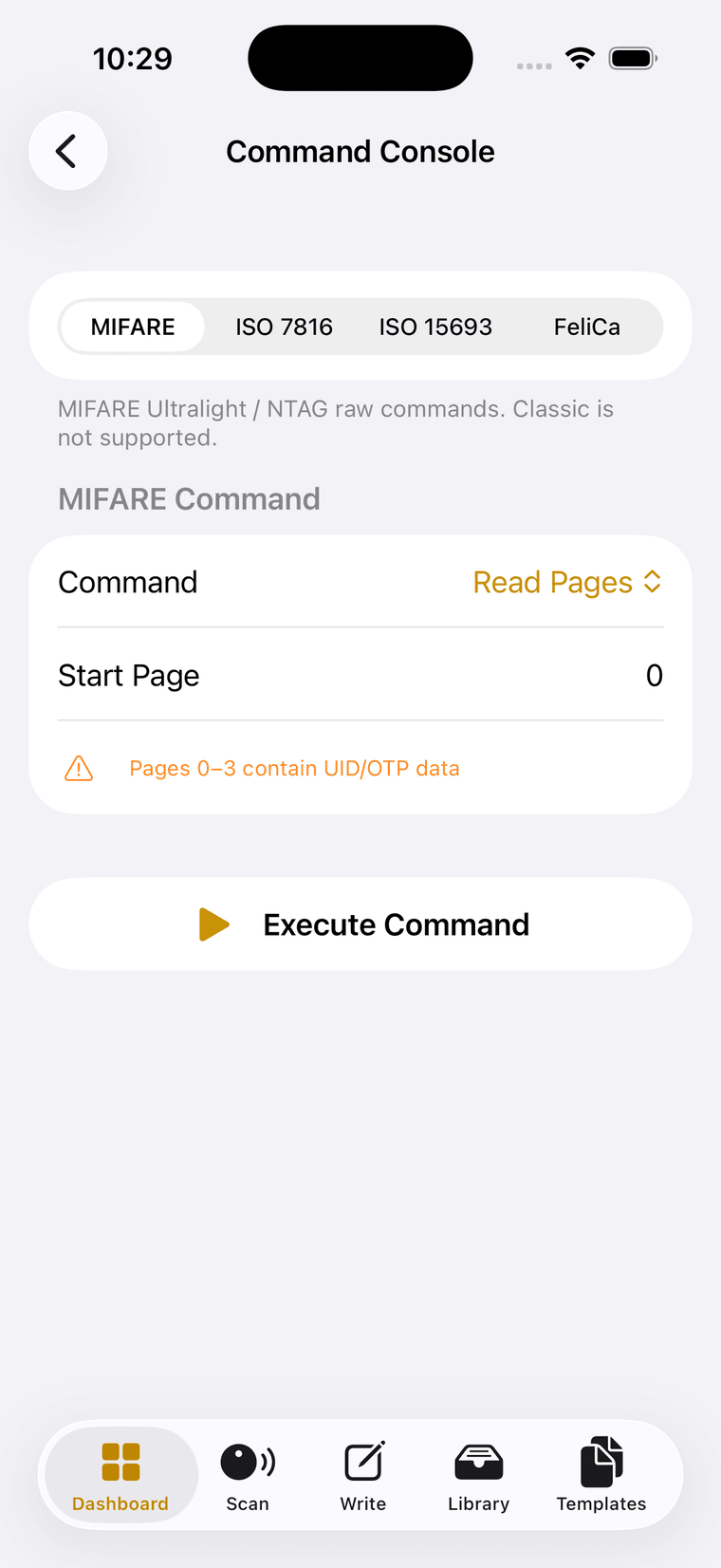
- Status
- Read / Write
- Capacity
- 504 bytes
- Technology
- MIFARE
- Tag model
- NTAG215
- Family
- Ultralight
- Serial
- 04:A2:24:1B:7C:59:80
Nothing leaves the device.
Four commitments, and nothing to switch off.
Your NFC data is sensitive. We believe it should stay completely private, so NFCore has no server to send it to, no account to create and no analytics to opt out of.
No account required
- 01
Local Storage
All your data stays on your device
- 02
No Account
No sign-up or login required
- 03
No Cloud
Nothing is uploaded to any server
- 04
No Tracking
Zero analytics or data collection
Ready to get started?
Start with the tag in your hand.
Download NFCore and start managing your NFC tags like a pro.
Free to download · No account · iOS and Android
NFCore is free to download, requires no account, and is available for iOS and Android.